
Vibe Coding is the New Spreadsheet: My First Vibe Coding Experiment
For the longest time, whenever I had to untangle a complex business problem, my immediate reflex was to open a blank Google Sheet or a fresh slide deck. I’d map out matrices, list out variables, and try to force my chaotic thoughts into a neat little grid.
But lately, I’ve realized it’s time to stop opening spreadsheets and start opening my own apps.
Welcome to the era of “vibe coding.” If you haven’t heard the term, it’s the ability to build functional software just by describing what you want to an AI. This whole space is still very much an experiment phase for me, but honestly, it is so much easier than I ever thought possible.
Today, I want to share my experience building a regular web app using Google’s AI Studio with Gemini. (As a quick side note: while I used the standard version for this experiment, Gemini Enterprise is even more powerful, allowing you to connect directly to your company’s local databases and perform real-time web browsing.)
The Context: Building a Trade-Off App
In my day-to-day work, I am constantly having to compare different options. Whether it’s evaluating a pricing model or weighing product features, the mental heavy lifting takes a lot of time.
I didn’t want an AI to make the decisions for me. Instead, I wanted an experimental tool to help me visualize trade-offs faster and more thoroughly. I needed something I could use to cross-check my own mental frameworks, rather than relying on it entirely.
So, I vibe-coded a custom tool called The Tiebreaker. Here is how it went:
Step 1: Just Ask for What You Want
I started with a simple, natural language prompt. I basically said: “I want an app called The Tiebreaker that helps me make decisions. I want to provide a decision that I need to make, and I’d love AI’s help in showing me different pros and cons…”
Within about a minute, the AI wrote the React code, compiled it, and gave me a working user interface right there in my browser.
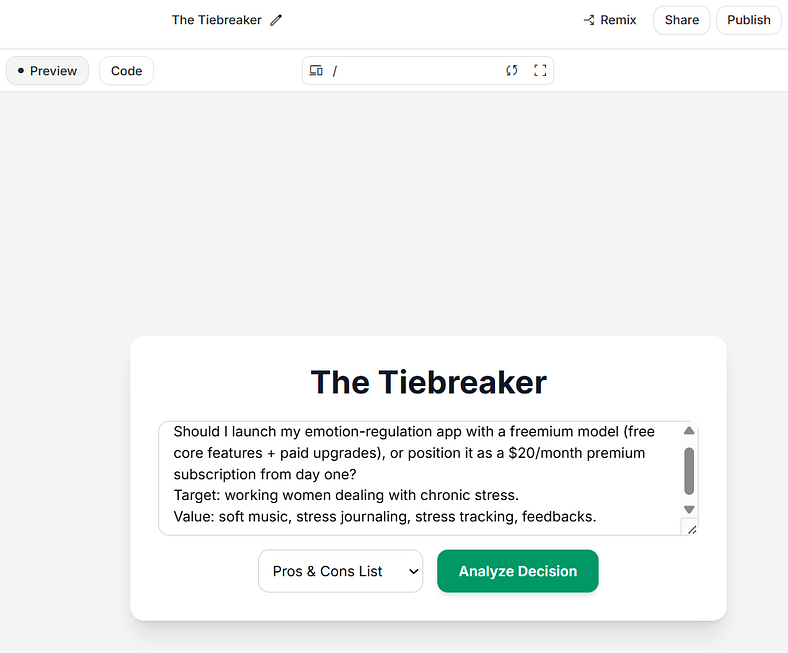
Step 2: Testing and the “JSON Oops”
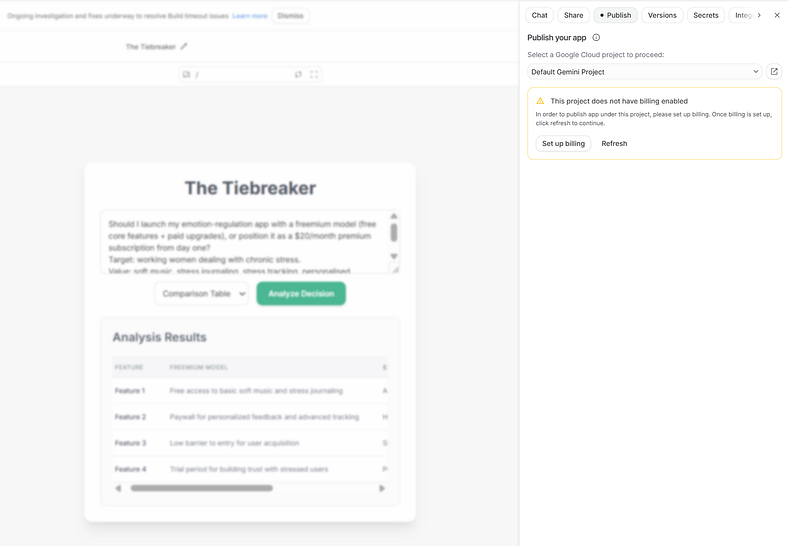
I decided to test it with a real scenario I was looking at: launching an emotion-regulation app with a freemium model versus a premium subscription. I typed it in and hit “Analyze Decision.”
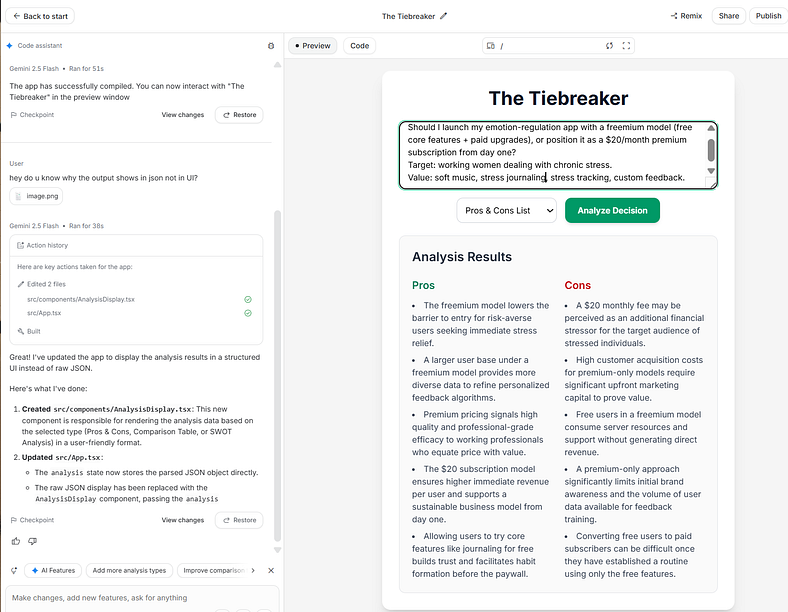
The logic the AI returned was fantastic, but the formatting was a mess. Instead of a nice, readable dashboard, the app spit out raw JSON code.
Step 3: Fixing it by… Just Talking
This is where vibe coding completely blew my mind. If I were coding this the traditional way, fixing that output would have been messy.
Instead, the problem was fixed incredibly easily just by talking to the app. I literally asked, “Hey, do u know why the output shows in JSON?”
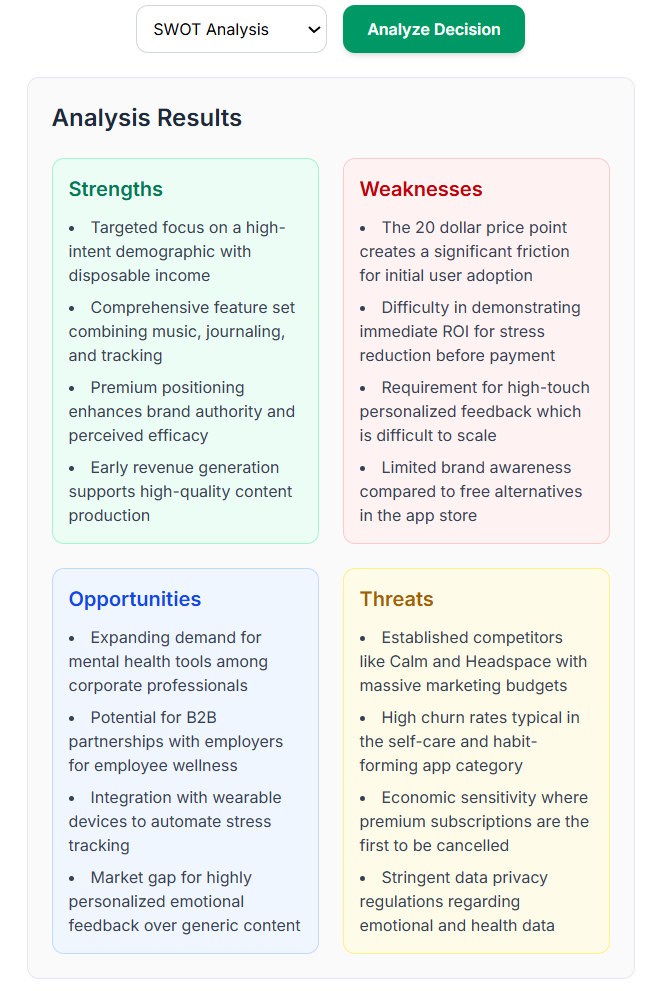
The AI immediately understood the assignment. It updated the component to parse the data correctly and rebuilt the app. In seconds, I had a beautifully formatted, color-coded SWOT analysis and Pros/Cons list.
The SWOT analysis works fine as well.
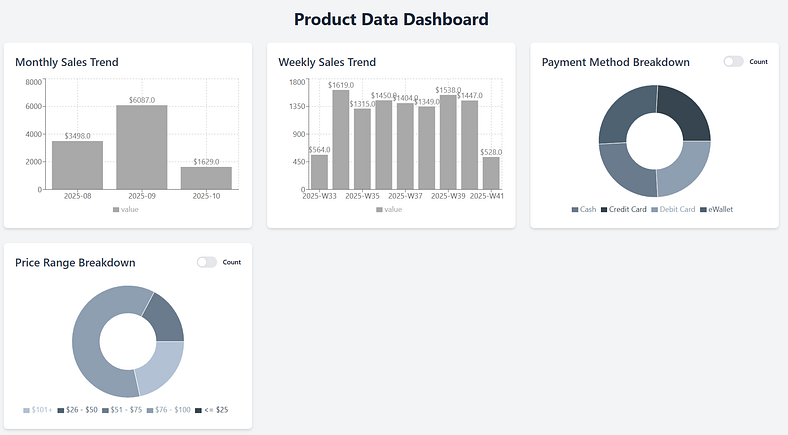
The Dashboard Experiment:
I also tried my hand at building a data dashboard. This took a bit longer than I anticipated; I realized that heavy structuring and formatting are often still faster in Excel than through a back-and-forth conversation with an AI.
Data output was another hurdle — I tried to pull in complex eCommerce sales data from Helium 10, but the system blocked the request due to free-tier limitations. I ended up having to pivot and use sample data from my course instead, but it was a great lesson in where the current boundaries lie.
Sharing and Publishing: What You Need to Know
Here is what I learned about how Google AI Studio handles this as I was poking around:
The Publish Button: When I wanted to get a public web link to share with anyone (with the URL, like the-tiebreaker.run.app).
I found that hitting “Publish” requires linking a payment method for a Google Cloud billing account. Since I’m still in the experimental phase and using this for my own internal workflows, I don’t really need that right now. Staying within the free tier limits in the preview mode works perfectly for my needs.
The Easy Workaround: You can just add people directly to the project so they can use it in their own AI Studio workspace for free.
Going Independent/ SASS: Because the AI is generating real code (you can pick code frameworks), you can just download the files and deploy them separately and connect them back to Google.
The Takeaway
Even though I am just in the experiment phase, vibe coding has completely changed how I approach my workflows. It takes the friction out of turning an idea into a tangible tool. That said, the friction hasn’t vanished entirely — as I saw with the dashboard experiment, complex formatting and data constraints still require a bit of patience.
I learned these techniques through the Google AI Essentials course on Coursera, which I highly recommend; it’s incredibly practical for anyone looking to bridge the gap between “prompting” and actually building.




Leave a Comment